How to Send WhatsApp Message Without Saving Phone Number
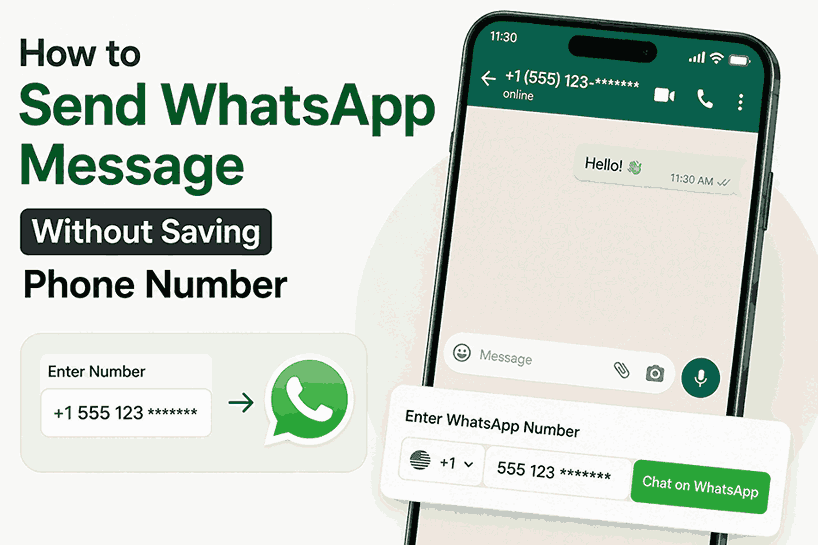
We've all been there — you need to send a quick WhatsApp message to a delivery person, a customer, a cab driver, or a one-time work contact. But saving their number forever in your phone book? That's unnecessary clutter.
WhatsApp's biggest drawback is that it forces you to save a number before you can message someone. But here's the good news — you don't actually need to save any number. There are multiple ways around this limitation, ranging from official WhatsApp features to smart shortcuts and handy tools.
In this guide, we'll walk you through 5 reliable methods to send WhatsApp messages without saving contacts — so you can keep your phonebook clean and still communicate instantly.
Method 1: WhatsApp Official "Click-to-Chat" Links
WhatsApp has an official feature called Click-to-Chat that lets you start a conversation with any number without saving it. This works on Android, iPhone, and WhatsApp Web.
📱 How to use it:
- Open your browser (Chrome, Safari, etc.)
- Type in the address bar:
https://wa.me/followed by the phone number with country code - For example:
https://wa.me/1234567890 - Press Enter — WhatsApp will open directly to that chat
Important formatting rules:
- ✅ Include country code (e.g., 1 for US, 44 for UK)
- ❌ No plus (+) symbol at the beginning
- ❌ No spaces, dashes, or brackets
- ❌ No leading zeros
?text= followed by your URL-encoded message. For example: https://wa.me/1234567890?text=Hello%20there!
Method 2: The "Message Yourself" Trick
This is a clever workaround that uses WhatsApp's own "Message Yourself" feature. It's quick, doesn't require third-party apps, and works well for casual communication.
📱 How to use it:
- Open WhatsApp and tap on your own chat (marked with your name and "(You)")
- Type or paste the number you want to message
- The number becomes clickable (highlighted in blue)
- Tap the number and select "Chat with [phone number]"
Method 3: Use WhatsApp Group Chats
If you're part of a group that includes someone you haven't saved, WhatsApp allows you to message them directly.
📱 How to use it:
- In the group chat, tap on the unsaved number
- A pop-up will appear — tap the message icon
- Can't find them in the chat? Tap the group name, scroll through members, and tap the number there
- Choose "Message [phone number]"
Method 4: Voice Assistant (Siri / Google Assistant)
Your voice assistant can open a WhatsApp chat without saving the number. This is one of the quickest methods when you're on the go.
📱 Try these commands:
- Hey Siri — "Send a WhatsApp message to +1 555 555 5555"
- Ok Google — "Send a WhatsApp message to +1 555 555 5555"
The assistant will directly open a chat window so you can type or dictate your message.
Method 5: Use DirectlyChat – Free Website + Android App 📱 Play Store
For the easiest and most feature-rich experience, DirectlyChat is available as both a free website and an Android app. No registration, no download required for web version.
✨ Why choose DirectlyChat:
- 100% free — No subscriptions or hidden charges
- Website + Android App — Use on any device or download from Play Store
- No download required for web — Works instantly in your browser
- Supports 195+ countries — Includes all international country codes
- WhatsApp Business ready — Dedicated button for WhatsApp Business
- Privacy focused — We never store your numbers or messages
- Works on all devices — Android, iPhone, tablet, laptop, desktop
Just select the country code, enter the phone number, type your message (optional), and tap send. WhatsApp opens instantly without saving any contact.
Which Method Should You Use?
The best method depends on your situation:
- For one-off messages (delivery person, customer enquiry): Use the official Click-to-Chat link — it's quick, official, and requires no setup.
- For frequent use (business owner, freelancer): Use DirectlyChat for a smoother, faster experience with saved country preferences.
- When you're driving or multitasking: Voice assistants are your best friend.
- For desktop users: DirectlyChat website or Click-to-Chat links work perfectly in any browser.
- For Android users who want an app: Download DirectlyChat from Google Play Store for an ad-free, app-like experience.
Why Bother Avoiding Contact Saving?
- Keep your contact list clean — No more scrolling through hundreds of one-time contacts
- Save time — No need to type names, select phone types, or fill extra fields
- Better privacy — Your phonebook stays personal, not cluttered with random numbers
- Professional communication — Message clients without mixing personal and work contacts
Ready to Try It?
All these methods are free and work across devices. Whether you prefer WhatsApp's official click-to-chat links, voice commands, or DirectlyChat, you'll never have to save a temporary number again.
📚 You May Also Like
🚀 Start using DirectlyChat today: